
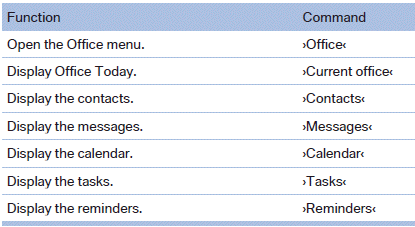
Office
See also:
Screw thread
Push out the cover by pressing on the top edge.
Front
Rear
...
Oil change
An oil change should be carried out by your
service center only.
...
Using the remote control
General information
Take the remote control with you
People or animals left unattended in a
parked vehicle can lock the doors from the inside.
Always take the remote control with you
when leav ...