
Date
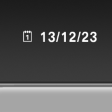
The date is displayed in the instrument cluster.
Setting the date and date format.
See also:
Fuel
Vehicle equipment
All standard, country-specific and optional
equipment that is offered in the model series is
described in this chapter. Therefore, equipment
is also described that is not avai ...
Volume
► "Speed volume": speed-dependent volume
control.
► "PDC": volume of the PDC signal compared
to the entertainment sound output.
► "Gong": volume of ...
The concept
The iDrive combines the functions of a multitude
of switches. Thus, these functions can be operated
from a central location.
Using the iDrive during a trip
To avoid becoming distracted and posing ...