
Instrument lighting
You can adjust the brightness of the instrument lighting only when the parking lamps or the low beams are switched on.
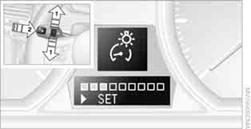
1. Push button 1in the turn signal/high beam lever up or down repeatedly
until the appropriate symbol appears in the display, accompanied by the brightness
level and the word "SET".
2. Press button 2.
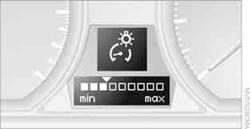
3. Push button 1up or down to select the desired brightness level.
4. Press button 2.
The display again shows the outside temperature and the time.
See also:
Tire Identification Number
Tires with DOT codes meet the guidelines of the
U.S. Department of Transportation.
DOT code:
DOT xxxx xxx 3410
xxxx: manufacturer code for the tire brand
xxx: tire size and tire design
3410: ti ...
Display
Instrument cluster
Instrument cluster
Instrument cluster with enhanced
features
Instrument cluster with enhanced features ...
DSC OFF
When DSC OFF, is active,
driving stability is limited during acceleration
and when driving in bends. ...