
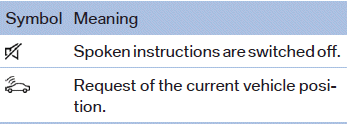
Status field symbols
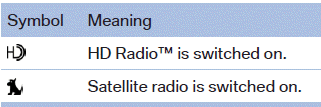
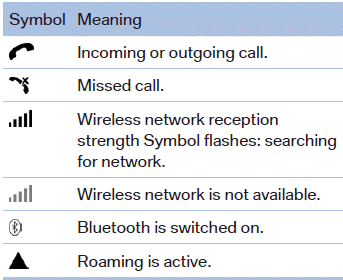
The symbols are grouped as follows.
Radio symbols
Telephone symbols
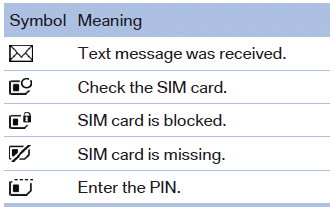
Entertainment symbols
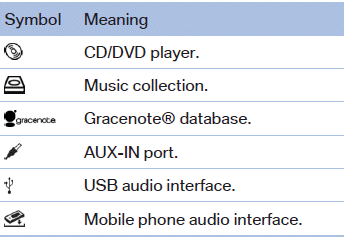
Additional symbols
See also:
Selecting a channel
You can only listen to enabled channels.
The selected channel is stored for the remote control currently in use.
Via iDrive1. "Radio"
2. "Satellite radio"
3. ...
Folding in display screen
When using the ski bag or when transporting
bulky pieces of luggage, the display screen
should be folded in, as otherwise it may be damaged.
Note when the display screen is folded
down
When ...
TeleService Report
Transmits technical data that is evaluated for the
ongoing development of BMW products from
your vehicle to BMW in regular intervals if necessary.
TeleService Report is activated in vehicles that ...