
Services status
Displaying available services
Display of all services available in the vehicle.
1. "BMW Assist" or "ConnectedDrive"
2. "Service Status"
3. "Available services"
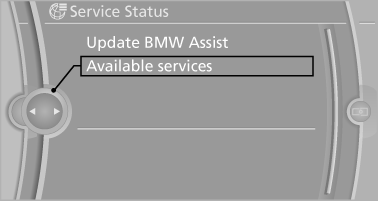
Updating BMW Assist
Manual update of TeleService and BMW Assist.
"Update BMW Assist"
See also:
Initiating an Emergency Request
1. Press the cover briefly to open it.
2. Press the SOS button until the LED in the
button lights up.
The LED lights up: an Emergency Request
was initiated.
If the situation allows, wait ...
Volume
▷ "Speed volume": speed-dependent volume
control.
▷ "PDC": volume of the PDC signal compared
to the entertainment sound output.
▷ "Gong": volume o ...
Resuming the original route
If the route section should no longer be bypassed:
1. "Navigation"
2. "Route information"
3. "New route for:"
4. "Remove blocking" ...