
Automatic Service Request
The TeleService data necessary for servicing the vehicle are automatically sent to your service partner prior to the service deadline. If possible, the service partner will contact you and a service appointment can be arranged.
To check when your service partner was notified:
1. "Vehicle Info"
2. "Vehicle status"
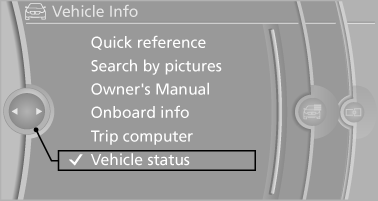
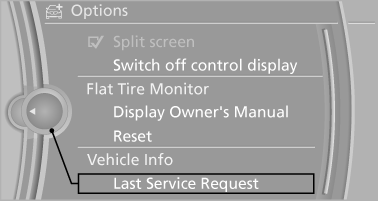
3. Open "Options".
4. "Last Service Request"
See also:
Auto Start-Stop, Brake Energy Regeneration, ECO PRO mode
The new BMW 3-Series Sedan is equipped as standard with an Auto Start-Stop
function, which automatically switches off the engine during short stops at
traffic lights or in stationary traffic, so a ...
Updating the navigation data
General information
Navigation data are stored in the vehicle and can
be updated.
Current navigation data and the authorization
code are available from your service center.
▷ Depending on ...
Have diesel exhaust fluid refilled
This exhaust fluid is refilled by your service center
during regular maintenance. If you adhere to
this maintenance schedule, it is usually not necessary
to refill any fluids between the mainten ...