
Heat image
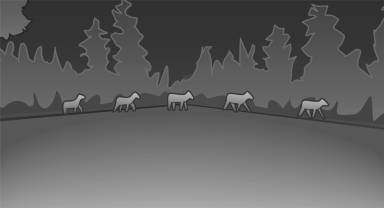
The image shows the heat radiated by objects in the field of view of the camera.
Warm objects have a light appearance and cold objects, a dark appearance.
The ability to detect an object depends on the temperature difference between the object and the background and on the level of heat radiation emitted by the object. Objects that are similar in temperature to the environment or that radiate very little heat are difficult to detect.
For safety reasons, when driving at speeds above approx. 3 mph/5 km/h and in low ambient light, the image is only displayed when the low beams are switched on.
A still image is displayed at regular intervals for a fraction of a second.
See also:
Actions in the event of a flat tire
Normal tires
1. Identify the damaged tire.
Do this by checking the air pressure in all
four tires.
If the tire inflation pressure in all four tires is
correct, the Tire Pressure Monitor may n ...
X5 Diesel in the Market
From a driver's perspective, the diesel X5 is a worthy effort: quick on its
feet and agile when it needs to be, yet comfortable for the long haul.
Well-to-do families might still give it a look — ...
Indication in the info display
The information from the computer
is shown in the Info display
in the instrument cluster. ...