
Switching on/off manually
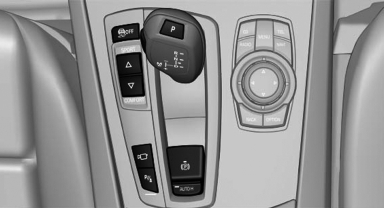
Switching on/off manually
 Press the
button.
Press the
button.
▷ On: the LED lights up.<> ▷ Off: the LED goes out.
See also:
Innovative boot access makes life a little easier
BMW ConnectedDrive has come up with another convenience-enhancing feature:
the hands-free boot lid opening function - available for the new BMW 3-Series
Sedan in conjunction with Comfort Access - ...
Notes
CD/DVD player and changer
Do not remove the cover
BMW CD/DVD players and changers are
officially designated Class 1 laser products. Do
not operate if the cover is damaged; otherwise,
severe eye ...
Fuses
Notes
Replacing fuses
Never attempt to repair a blown fuse and
do not replace a defective fuse with a substitute
of another color or amperage rating; this could
lead to a circuit overload, ul ...