
ECO PRO
Consistent tuning to minimize fuel consumption for maximum range with maximum driving stabilization.
Comfort functions and the engine controller are adjusted.
The program can be configured to individual specifications.
Activating ECO PRO
 Press button repeatedly until
ECO PRO
is displayed in the instrument cluster.
Press button repeatedly until
ECO PRO
is displayed in the instrument cluster.
Configuring ECO PRO
1. Activate ECO PRO.
2. "Configure ECO PRO"
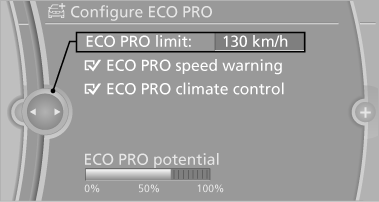
or
1. "Settings"
2. "Driving mode"
3. "Configure ECO PRO"
Make the desired settings.
See also:
Defrosting and defogging windows
Press the button.
Ice and condensation are quickly removed
from the windshield and the front side
windows.
For this purpose, also switch on the cooling
function. ...
Following the initial pairing
▷ The mobile phone is detected/connected in
the vehicle within a short period of time
when the engine is running or the ignition is
switched on.
▷ After they have been identified, p ...
Display
1 Lane departure warning*
2 Active Cruise Control*
3 Desired speed
4 Navigation system*
5 Speed
The collision warning*, Night Vision* pedestrian
warning, or Check Control messages are display ...