
Current fuel consumption
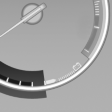 Displays the current fuel
consumption.
Displays the current fuel
consumption.
You can check whether you are currently driving in an efficient and environmentally- friendly manner.
Displaying the current fuel consumption
1. "Settings"
2. "Info display"
3. "Additional indicators"
The bar display for the current fuel consumption is displayed in the instrument cluster.
See also:
Heat image
The image shows the heat radiated by objects
in the field of view of the camera.
Warm objects have a light appearance and cold
objects, a dark appearance.
The ability to detect an object depen ...
TeleService Report
Transmits technical data that is evaluated for the
ongoing development of BMW products from
your vehicle to BMW in regular intervals if necessary.
TeleService Report is activated in vehicles that ...
Services offered
▷ Emergency Request: when you press the
SOS button, a connection to the BMW Assist
Response Center is established. The
BMW Assist Response Center then speaks
with you and takes further s ...