
Adjusting the height: manual head restraints
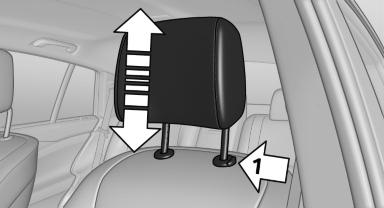
Adjusting the height: manual head
restraints
▷ To raise: pull.
▷ To lower: press the button, arrow 1, and push the head restraint down.
See also:
BMW 335i: optimised six-cylinder petrol engine with beefy power delivery,
strong torque and superb refinement
Fans of large six-cylinder engines have a treat in store too. The optimised
six-in-line unit in the new BMW 335i will impress performance-minded drivers
with its effortless power, exceptionally fa ...
Trip computer
There are two types of computer.
▷ "Onboard info": the values can be reset as
often as necessary.
▷ "Trip computer": the values provide an overview
of the current ...
Displays in the instrument cluster
The transmission position is
displayed,
e.g.: P. ...