
Changing settings
1. Select a field.
2. Turn the controller until the desired setting is displayed.
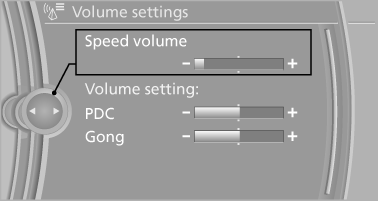
Changing settings
3. Press the controller.
See also:
Remote control storage
compartment
Opening
Press on the cover.
Remote control storage compartment
Storage is possible in a vertical position in the
center armrest. ...
Requirements
Via the Control Display, set a language that is
also supported by the voice activation system
so that the spoken commands can be identified.
Set the language. ...
Tilt
Three different tilt positions are available.
▷ Forward: pull the top edge of the head restraint
forward, arrow 1.
▷ Back: press the button, arrow 2. The head
restraint folds as fa ...