
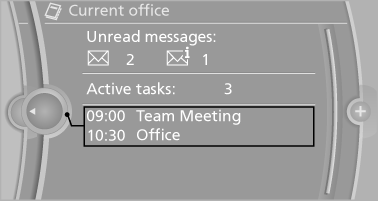
Office information
The number of unread messages and active tasks as well as the upcoming appointments are displayed.
1. "Office".
2. "Current office".
3. Select the desired entry to display details.
See also:
Vehicle equipment
All standard, country-specific and optional
equipment that is offered in the model series is
described in this chapter. Therefore, equipment
is also described that is not available in a vehicle,
e ...
Eject CD/DVD
Press the button
on the CD/DVD player. The
DVD emerges slightly from the drive. ...
Trip computer
There are two types of computer.
"Onboard info": the values can be reset as
often as necessary.
"Trip computer": the values provide an overview
of the current trip.
...