
Center armrest
Opening
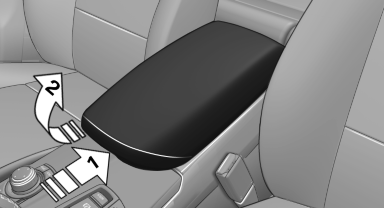
Press the button, arrow 1, and fold the center arm rest up, arrow 2.
Connection for an external audio device
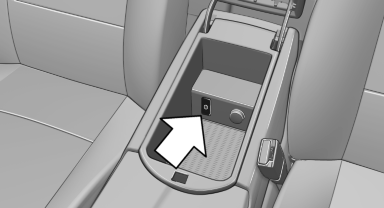
This can be used to connect an external audio device, such as an MP3 player.
► AUX-IN port.
► USB audio interface.
See also:
Resuming the original route
If the route section should no longer be bypassed:
1. "Navigation"
2. "Route information"
3. "New route for:"
4. "Remove blocking" ...
Information on the navigation data
1. "Navigation".
2. "Options" Open.
3. "Navigation system version": information on
the data version is displayed. ...
Securing cargo
Lashing eyes in the cargo area
To secure the cargo, there are four lashing eyes
in the cargo area
Lashing eyes in the cargo area with rails
To secure the cargo, there are four movable
lashing ...