
Editing a contact
1. "My contacts"
2. Select the desired contact.
3. "Edit contact"
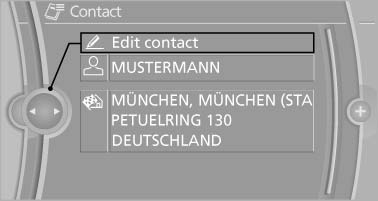
Edit contact
4. Change the entries.
5. Move the controller to the left.
6. "Yes"
See also:
The concept
Top View assists you in parking and maneuvering.
The area around the doors and the road area
around the vehicle are shown on the Control
Display for this purpose. ...
Automatic-Transmission
Starting the engine
1. Depress the brake pedal.
2. Press the Start/Stop button.
The ignition is activated automatically for a certain
time and is stopped as soon as the engine
starts. ...
Front ventilation
Thumbwheels for adjusting the temperature,
arrows 1.
Toward blue: colder.
Toward red: warmer.
Lever for changing the air flow direction, arrow
2.
Thumbwheels for opening and closing ...