
Fuel gauge
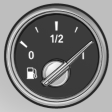 The vehicle inclination may
cause the display to vary.
The vehicle inclination may
cause the display to vary.
Notes on refueling, refer to page 234.
See also:
Sound output
Switching on/off
When the ignition is switched off: press ON/OFF
button on the radio.
Muting
When the ignition is switched on or the engine
is running: press the ON/OFF button on the
radio. ...
Folding in display screen
When using the ski bag or when transporting
bulky pieces of luggage, the display screen
should be folded in, as otherwise it may be damaged.
Note when the display screen is folded
down
When ...
The concept
Two radar sensors below the rear bumper monitor
the area behind and next to the vehicle at
speeds above approx. 30 mph/50 km/h.
The system indicates whether there are vehicles
in the blind sp ...