
Office information
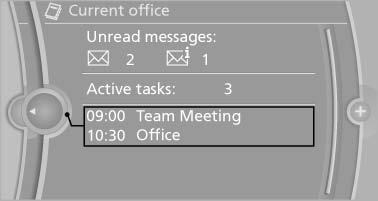
The number of unread messages and active tasks as well as the upcoming appointments are displayed.
1. "Office"
2. "Current office"
3. Select the desired entry to display details.
See also:
Context help - Owner's Manual to the temporarily selected function
The relevant information can be opened directly.
Opening during operation via iDrive
To move directly from the application on the
Control Display to the options menu:
1.
Press the button or m ...
Wiper blade replacement
General information
Do not fold down the wipers
without wiper
blades
Do not fold down the wipers if wiper blades have
not been installed; this may damage the windshield.
Replacing the wiper ...
Enabling operation in the rear
Only possible via the iDrive in the front.
1. "Settings"
2. "Allow rear control"
3. Select the desired priority.
...