
Selecting a station manually
Station selection via the frequency.
1. "Radio"
2. "FM" or "AM"
3. "Manual"
4. To select the frequency: turn the controller.
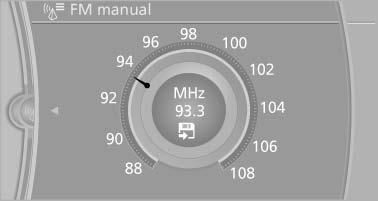
Selecting a station manually
To store the station: press the controller for an extended period.
See also:
Automatic climate control
1. Air distribution, left
2. Temperature, left
3. AUTO program, left
4. Air volume, AUTO intensity, residual heat,
left
5. Remove ice and condensation
6. Maximum cooling
7. Display
8. Air v ...
At a glance
Display the traffic bulletins from radio stations
that broadcast the TI Traffic Information
of a traffic information service. Information
on traffic obstructions and hazards is
updated ...
Semi-electrically adjustable seats
At a glance
1. Thigh support
2. Tilt
3. Forward/backward
4. Lumbar support
5. Height
6. Backrest
Tilt
Pull the lever and move the seat to the desired
tilt. After releasing the lever, app ...