
New trip
A trip can be planned with several intermediate destinations.
1. "Navigation"
2. "Map"
3. Move the controller to the left if necessary.
4. "Guidance"
5. "Enter new destination"
6. Select the type of destination entry.
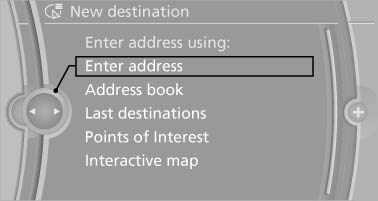
Select the type of destination entry.
7. Enter the intermediate destination.
8. "Start guidance"
Entering intermediate destinations
A maximum of 30 intermediate destinations can be entered for a trip.
1. "Enter new destination"
2. Select the type of destination entry.
3. Enter the intermediate destination.
4. "Add as another destination"
The intermediate destination is entered in
the destination list and is highlighted.
5. Turn the controller until the intermediate destination is located at the desired location in the list.
6. Press the controller.
See also:
Automatic Hold
The concept
This system assists the driver by automatically
setting and releasing the brake, such as when
moving in stop-and-go traffic.
The vehicle is automatically held in place when
it is s ...
Turn signals, front
24-watt bulb, PY24W
1. Rotate bulb holder to the left and remove it
along with the bulb.
2. Rotate the bulb to the right along with the
socket and replace.
3. Install in the reverse order. ...