
Visual warning
The approach to an object can be shown on the Control Display. Objects that are farther away are displayed on the Control Display before a signal tone sounds.
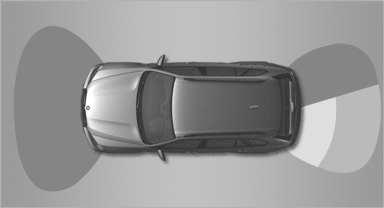
Visual warning
The display appears as soon as PDC is activated.
If the last image selected was the rear view camera, this is displayed again. To switch to PDC:
 "Switch off rear
view camera"
The setting is stored for the remote control currently
in use.
"Switch off rear
view camera"
The setting is stored for the remote control currently
in use.
See also:
Advanced axle design further refined: five-link rear axle improves driving
dynamics and comfort
Incorporating various significant improvements and refinements, the rear axle
of the new BMW 3-Series makes an important contribution to the new model's
improved driving dynamics and comfort. Its ...
Malfunction
A message is displayed in the instrument cluster.
HDC is not available, e.g., due to elevated
brake temperatures. ...
Microfilter/activated-charcoal filter
The microfilter traps dust and pollen in the incoming
air.
The activated-charcoal filter removes gaseous
pollutants from the outside air that enters the
vehicle.
The service center replaces th ...