
Time
The settings are stored for the remote control currently in use.
Setting the time zone
1. "Settings"
2. "Time/Date"
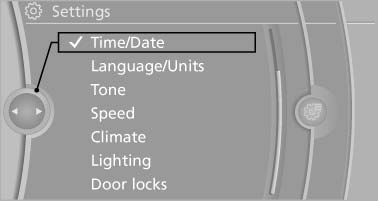
Time/Date
3. "Time zone:"
4. Select the desired time zone.
The time zone is stored.
Setting the time
1. "Settings"
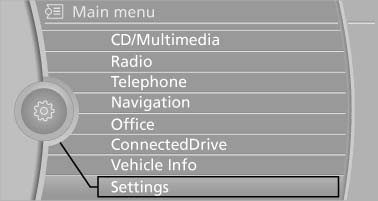
"Settings
2. "Time/Date"
3. "Time:"
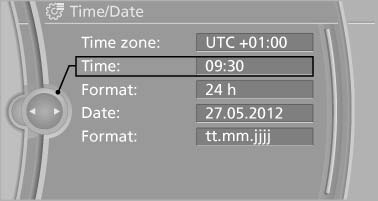
Time
4. Turn the controller until the desired hours are displayed.
5. Press the controller.
6. Turn the controller until the desired minutes are displayed.
7. Press the controller.
The time is stored.
Setting the time format
1. "Settings"
2. "Time/Date"
3. "Format:"
4. Select the desired format.
The time format is stored.
See also:
Sound output
Switching on/off
When the ignition is switched off: press ON/OFF
button on the radio.
Muting
When the ignition is switched on or the engine
is running: press the ON/OFF button on the
radio. ...
Controls
Before operation
Before operating a system using the
integrated universal remote control, ensure that
there are no people, animals, or objects within
the range of movement of the remote-controlle ...
Driving Experience Switch
The concept
The Driving Experience Switch can be used to
adjust the certain characteristics of the vehicle.
Various programs can be selected for this purpose.
The Driving Experience Switch and ...