
Selecting the calendar day
1. Select the date.
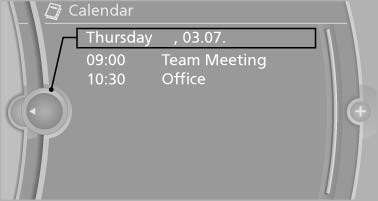
2. Select the desired day or date.
- "Next day"
- "Date:"
- "Previous day"
- "Today"
See also:
Setting
Pull the switch.
The LED lights up.
The indicator lamp lights up in
red. The
parking brake is set.
Lower lamp: indicator lamp in
Canadian
models
Set the parking brake and further secur ...
Satellite radio
General information
The channels are offered in predefined packages.
The packages must be enabled by telephone.
Navigation bar overview
The functions of the navigation bar symbols can
also be ...
Length, wheel base
Length, wheel base
1 Wheel base: 110.6 inches/2,810 mm
2 Vehicle length: 182 inches/4,624 mm ...