
Snap-in adapter
Installation position
In the center armrest.
Inserting the snap-in adapter
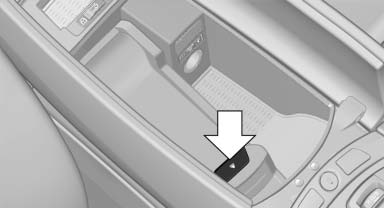
1. Press the button and remove the cover.
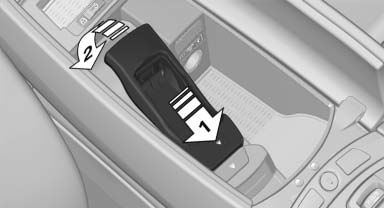
2. Insert the snap-in adapter at the front, arrow 1, and press down, arrow 2, until it engages.
Inserting the mobile phone
1. Depending on the mobile phone, remove the protective cap from the antenna connector of the mobile phone.
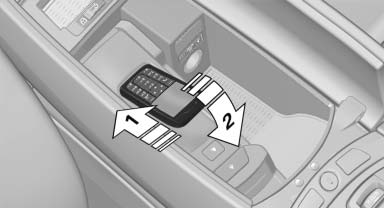
2. Slide the mobile phone with the buttons facing up in the direction of the electrical connections, arrow 1, and push downward, arrow 2 until it engages.
Removing the mobile phone
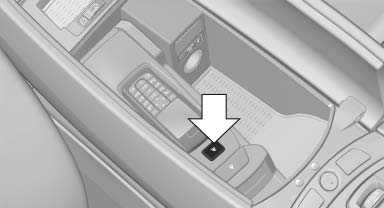
Press the button and remove the mobile phone.
See also:
Surround View
The concept
Surround View includes the following systems:
▷ Backup camera
▷ Side View.
▷ Top View.
It assists the driver when parking, maneuvering
and on blind driveways and i ...
Opening/closing the glass sunroof and
sliding visor together
Briefly press the switch twice in
succession in the desired direction
past the resistance point.
The glass sunroof and sliding visor
move together. Pressing the
switch again stops the motio ...
Special windshield
The windshield is part of the system.
The shape of the windshield makes it possible
to display a precise image.
A film in the windshield prevents double images
from being displayed.
Therefore, ...