
Incoming call
Receiving calls
If the number of the caller is stored in the phone book and is transmitted by the network, the name of the contact is displayed. Otherwise, only the phone number is displayed.
If more than one phone number is assigned to a contact, only the name of the contact is displayed.
For calls on the additional telephone, the number is only displayed if it is transmitted by the network.
An incoming call to the additional telephone is automatically rejected if there is an active call on the other telephone.
Accepting a call
Via iDrive
 "Accept"
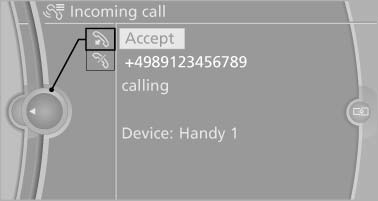
Via the button on the steering wheel
 Press the button.
Via the instrument cluster*
"Accept"
Rejecting a call
Via iDrive
 "Reject"
Via the instrument cluster
"Reject"
Ending a call
Via iDrive
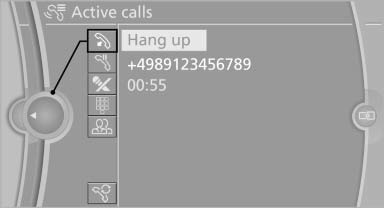
 "End call"
Via the button on the steering wheel
 Press the button.
Via the instrument cluster
"End call"
See also:
Actions in the event of a flat tire
Run-flat tires
You can continue driving with a damaged tire at
speeds up to 50 mph/80 km/h.
Do not continue driving without run-flat
tires
If the vehicle is not equipped with run-flat tires
...
Switching on automatically
Select transmission position R with the engine
running.
The Top View and PDC images are displayed if
the system is switched on via iDrive. ...
Tire tread
Summer tires
Do not drive with a tire tread depth of less than
0.12 in/3 mm.
There is an increased danger of hydroplaning if
the tread depth is less than 0.12 in/3 mm.
Winter tires
Do not driv ...