
Storing a channel
1. "Radio"
2. "Satellite radio"
3. If necessary, open "All channels" or the desired
category.
4. Select the desired channel.
5. Press the controller again.
6. Press the controller again to confirm the
highlighted channel.
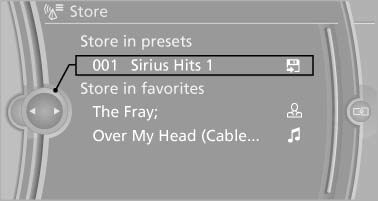
7. Select the desired memory location.
The channels are stored for the remote control currently in use.
The channels can also be stored on the programmable memory buttons.
See also:
Time
The time is displayed at the
bottom
of the instrument cluster.
Setting the time and time format ...
Seats
Note before adjusting Never attempt to adjust your seat while the
vehicle is moving. The seat could respond with unexpected movement, and the ensuing
loss of vehicle control could lead to an accid ...
2007 BMW X3 Review
BMW's compact SUV, the X3, has sparked a parade of competitors from Acura to
Volvo, all seemingly aimed at convincing shoppers too rich for a Honda CR-V
that, yes, there is a $40,000 alternative. ...