
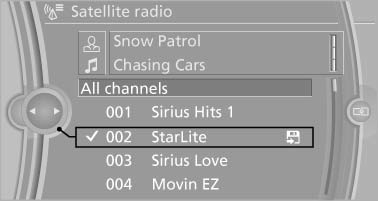
Selecting channels
You can only listen to enabled channels.
The selected channel is stored for the remote control currently in use.
Via iDrive
1. "Radio"
2. "Satellite radio"
3. Select "All channels" or the desired category.
4. Select the desired channel.
Via the buttons on the center console
 Press the button.
The next channel is selected.
Via direct channel entry
1. "Radio"
2. "Satellite radio"
3.  "Set channel"
4. Turn the controller until the desired channel is reached and press the controller.
See also:
Engaging the transmission position
► Transmission position P can only be disengaged
if the engine is running and the brake
pedal is pressed.
► With the vehicle stationary, press on the
brake pedal before shifting out of ...
The concept
Adaptive light control is a variable headlamp
control system that enables dynamic illumination
of the road surface.
Depending on the steering angle and other parameters,
the light from the head ...
The concept
► Most functions that are displayed on the
Control Display can be operated by spoken
commands via the voice activation system.
The system prompts you to make your entries.
► Function ...