
Selecting a station manually
Station selection via the frequency.
1. "Radio"
2. "FM" or "AM"
3. "Manual"
4. To select the frequency: turn the controller.
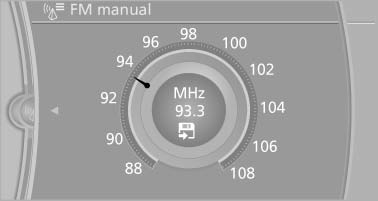
To store the station: press the controller for an extended period.
See also:
Active cruise control
With active cruise control you can select a desired
speed which is then automatically maintained
when driving on open roadways and is
varied to maintain a selected distance setting to
slower m ...
Replacing the battery
Replacing the battery
1. Take the integrated key out of the remote
control.
2. Push in the catch with the key, arrow 1.
3. Remove the cover of the battery compartment;
see arrow 2.
4. Insert ...
Antilock Brake System ABS
ABS prevents locking of the wheels during braking.
The vehicle remains steerable even during full
brake applications, thus increasing active
safety.
ABS is operational every time you start the e ...