
Filtering traffic bulletins
You can set which traffic bulletins appear on the map.
1. "Navigation"
2. "Map"
3. Open "Options".
4. "Traffic Info categories"
5. Select the desired categories.
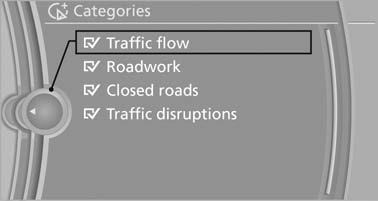
Traffic bulletins of the selected category are displayed on the map.
- Traffic bulletins that are relevant to the route are always shown.
- For your own safety, traffic bulletins that notify you of potentially dangerous situations, such as wrong-way drivers, cannot be hidden.
See also:
Radar sensors
Radar sensors
The radar sensors are located under the rear
bumper.
The system may not be fully functional in the
following situations:
▷ Dirty or icy bumper.
▷ Stickers on the ...
The concept
Starting at a specific speed, this system alerts
you when the vehicle on streets with lane markings
is about to leave the lane. Depending on the
country-specific version of the vehicle, the
sp ...
Setting the voice dialog
You can set whether the system should use the
standard dialog or a shorter version.
In the shorter variant of the voice dialog, the announcements
from the system are issued in an
abbreviated fo ...