
Front passenger side
Opening
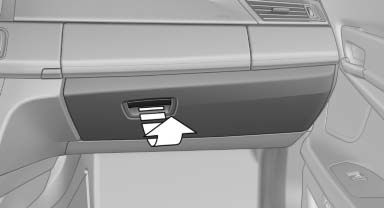
Pull the handle.
The light in the glove compartment switches on.
 Close the glove compartment again immediately
Close the glove compartment immediately after use while driving; otherwise, injury may occur during accidents.
Closing
Fold up the cover.
Opening the top cover
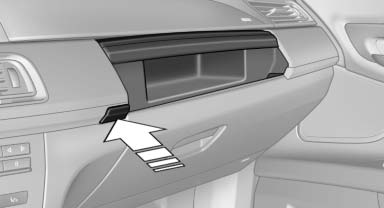
Press the button.
The top cover opens automatically.
Closing the top cover
Press the cover closed.
USB interface for data transfer
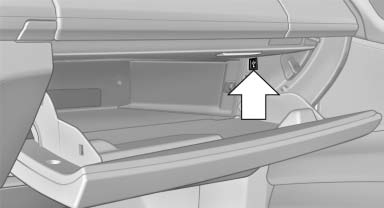
Connection for importing and exporting data on USB devices, e.g.:
- Personal Profile settings.
- Music collection.
Observe the following when connecting:
- Do not use force when plugging the connector into the USB interface.
- Do not connect devices such as fans or lamps to the USB interface.
- Do not connect USB hard drives.
- Do not use the USB interface to recharge external devices.
See also:
M Sport package
The M Sport package brings the ultimate in sporting makeovers to the new BMW
3-Series. An all-new aerodynamic package for the exterior clearly sets cars
specified with this package apart from the ...
Optional Variable Sports Steering
Optionally a new variable-ratio steering system can be specified. Variable
Sports Steering provides different steering gear ratios depending on the angle
of the steering wheel, so that the new BMW ...
Camera
The camera is located near the base of the mirror.
Keep windshield clean and clear in the area in
front of the interior rear view mirror. ...