
Brightness
Setting the brightness
To set the brightness of the Control Display:
1. "Settings"
2. "Control display"
3. "Brightness"
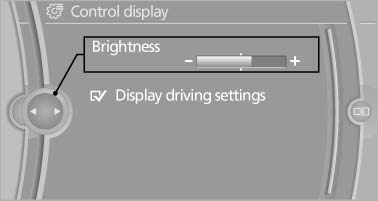
4. Turn the controller until the desired brightness is set.
5. Press the controller.
The setting is stored for the remote control currently in use.
Depending on the light conditions, the brightness control may not be clearly visible.
See also:
Children should always be in the rear
Accident research shows that the safest place
for children is in the back seat.
Transporting children in the rear
Only transport children younger than
13 years of age or shorter than 5 ft/150 c ...
Roadside Assistance
At a glanceBMW Roadside Assistancecan be contacted if assistance is needed in the
event of a breakdown.
Contact with BMW Roadside Assistancecan also be established using a Check
Control message.
...
After the ignition is switched off
When the remote control is removed or the ignition
is switched off, the windows can continue
to be operated for approx. 1 minute as long as
no door is opened. ...