
Display on the Control Display
Display the computer or trip computer on the Control Display.
1. "Vehicle Info"
2. "Onboard info" or "Trip computer"
Resetting the fuel consumption or speed
1. "Vehicle Info"
2. "Onboard info"
3. "Cons." or "Speed"
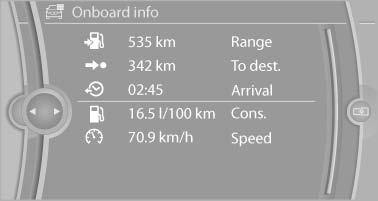
4. "Yes"
See also:
Warning triangle
Warning triangle
The warning triangle is located on the inside of
the trunk lid.
To remove, loosen the bracket. ...
Electronic brake-force distribution
The system controls the brake pressure in the
rear wheels to ensure stable braking behavior. ...
System limits
Check the traffic situation as well
Check the traffic situation around the vehicle
with your own eyes. Otherwise, an accident
could result from road users or objects located
outside the pictur ...