
Activating a list and creating the setting
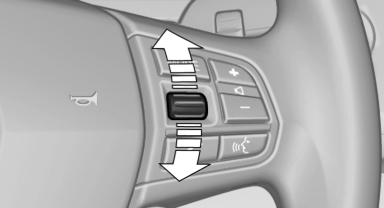
Press a button on the right side of the steering wheel or turn the thumbwheel to activate the required list.
Create the setting using the thumbwheel.
See also:
Notes
Replacing fuses
Never attempt to repair a blown fuse and
do not replace a defective fuse with a substitute
of another color or amperage rating; this could
lead to a circuit overload, ultimatel ...
Active Protection - preventative occupant protection
The Active Protection safety package is making its debut in the new BMW
3-Series Sedan under the banner of BMW ConnectedDrive. This assistance system is
activated shortly after the driver pulls aw ...
Cargo loading
To avoid loading the tires beyond their approved
carrying capacity, never overload the vehicle. Overloading can lead to overheating
and increases the rate at which damage develops inside the tire ...