
Current fuel consumption
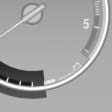
Displays the current fuel consumption. You can check whether you are currently driving in an efficient and environmentally- friendly manner.
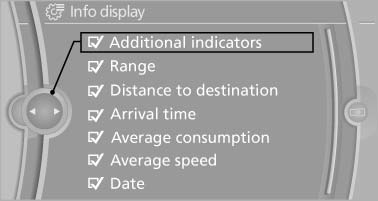
Displaying the current fuel consumption
1. "Settings"
2. "Info display"
3. "Additional indicators"
The bar display for the current fuel consumption is displayed in the instrument cluster.
See also:
Displays in the instrument cluster
1 Display of desired speed
2 Distance to vehicle ahead of you
3 Vehicle symbol
4 Brief status display
Desired speed
Marking in the speedometer
The marking lights up in
green: the syste ...
Vehicle equipment
All standard, country-specific and optional
equipment that is offered in the model series is
described in this chapter. Therefore, equipment
is also described that is not available in a vehicle, ...
Buttons at a glance
1 System on/off, interrupt
2 Resume speed
3 Store speed*
4 Reduce distance
5 Store, maintain/change speed
6 Increase distance ...