
Opening the Options menu
 Press the button.
The "Options" menu is displayed.
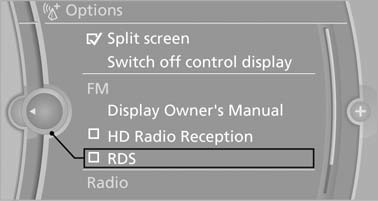
Additional options: move the controller to the right repeatedly until the "Options" menu is displayed.
Options menu
The "Options" menu consists of various areas:
- Screen settings, e.g., "Split screen". This area remains unchanged.
- Control options for the selected main menu, e.g., for "Radio".
- If applicable, further operating options for the selected menu, e.g., "Store station".
Changing settings
1. Select a field.
2. Turn the controller until the desired setting is displayed.
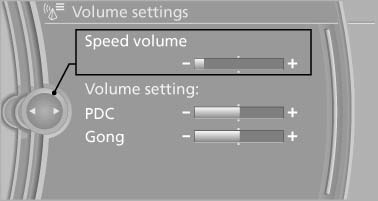
3. Press the controller.
See also:
Destination entry by voice
General information
► Instructions for voice activation system, refer
to page 22.
► When making a destination entry by voice,
you can change between voice operation
and iDrive.
υ ...
General information
Two different driver's seat and exterior mirror
positions can be stored and retrieved for each
remote control. Settings for the backrest width
and lumbar support are not stored in memory. ...
Steering wheel
General information
Do not adjust while driving
Do not adjust the steering wheel while
driving; otherwise, an unexpected movement
could result in an accident.◀
Manual steering wheel adju ...