
Controller
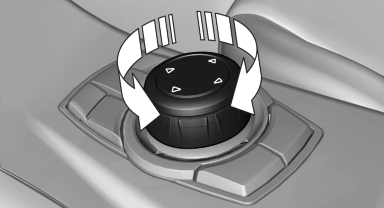
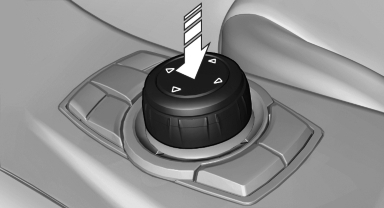
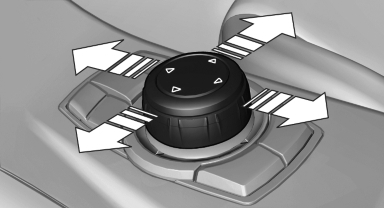
Select menu items and create settings.
1. Turn.
2. Press.
3. Move in four directions.
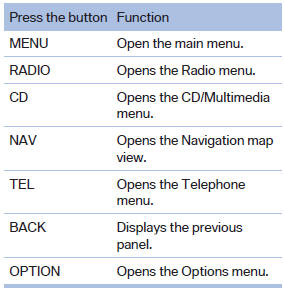
Buttons on controller
See also:
Video playback
Country codes
Only DVDs with the code of the home region can
be played back; also refer to the information on
the DVD.
Playback
The video image is displayed on the front Control
Display up ...
Check the tire inflationpressure regularly
Check and, if necessary, correct the tire inflation
pressure at least twice a month and before starting
on a long trip.
Low tire inflation pressure increases rolling resistance
and thus raises f ...
Programming
▷ LED, arrow 1.
▷ Memory buttons, arrow 2.
Fixed-code hand-held transmitters
1. Switch on the ignition.
2. Initial setup:
Press the two outer memory buttons 1 and
3 for approx. 20 ...