
Automatic Service Request
The TeleService data necessary for servicing the vehicle are automatically sent to your service partner prior to the service deadline. If possible, the service partner will contact you and a service appointment can be arranged.
To check when your service partner was notified:
1. "Vehicle Info"
2. "Vehicle status"
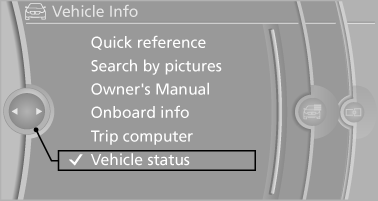
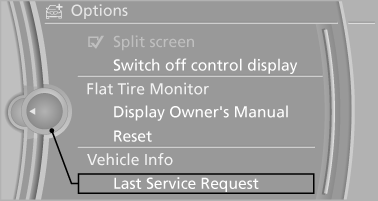
3. Open "Options".
4. "Last Service Request"
See also:
Controller
Select menu items and create settings.
1. Turn.
2. Press.
3. Move in four directions.
Buttons on controller
...
Volume
▷ "Speed volume": speed-dependent volume
control.
▷ "PDC": volume of the PDC signal compared
to the entertainment sound output.
▷ "Gong": volume o ...
Daytime running lights
With the ignition switched on, the daytime running
lights light up in position 0, or
.
After the ignition is switched off, the parking
lamps light up in position .
Activating/deactivating
1. ...