
Displays in the instrument cluster
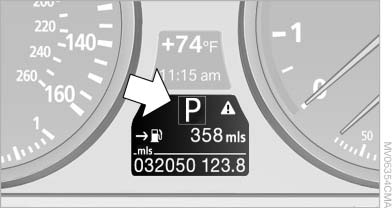
Displays in the instrument cluster
The gear position is displayed and the engaged gear, such as M4, is displayed in manual mode.
See also:
General information
Your vehicle contains advanced technology for
the reduction of fuel consumption and emissions.
Fuel consumption depends on a number of different
factors.
The implementation of certain measures, ...
What to do if...
Information on suitable mobile phones.
Appointments, tasks, notes, text messages, or
e-mails from the mobile phone are not displayed.
The mobile phone is not capable of the
missing function ...
Daytime running lights
With the ignition switched on, the daytime running
lights light up in position 0, or
.
After the ignition is switched off, the parking
lamps light up in position .
Activating/deactivating
1. ...