
Audio playback
Selecting the track using the button
 Press the button repeatedly
until the
desired track is played.
Press the button repeatedly
until the
desired track is played.
Selecting the track using the iDrive
Audio CDs
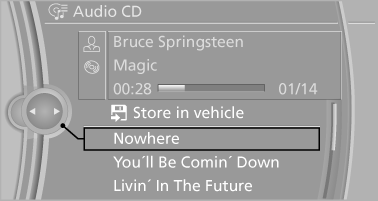
Select the desired track to begin playback.
CDs/DVDs with compressed audio fil
Depending on the data, some letters and numbers of the CD/DVD may not be displayed correctly.
1. Select the directory if necessary.
To go up a level in the directory: move the controller to the left.
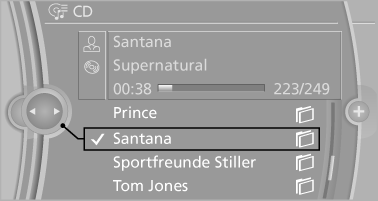
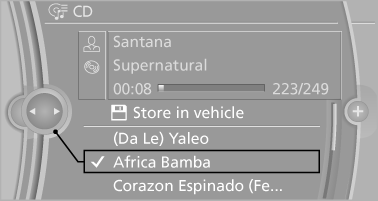
2. Select the desired track to begin playback.
Displaying information on the track
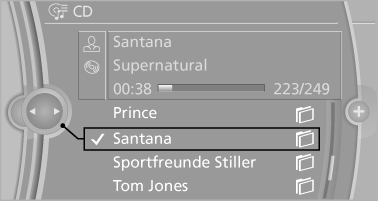
If information about a track has been stored, it is displayed automatically:
► Interpret.
► Album track.
► Number of tracks on the CD/DVD.
► File name of track.
Random playback
1. "CD/Multimedia"
2. "CD/DVD"
3. Select the desired CD or DVD.
4. Open "Options".
5. "Random"
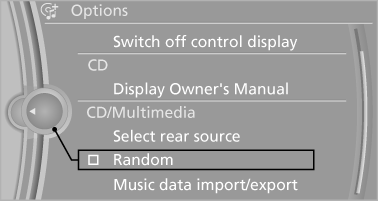
All tracks of the CD/DVD are played back in random order.
Fast forward/reverse
 Press and hold the button.
See also:
Using contact data
At a glance
Contact data from calendar entries, appointments,
tasks, emails and notes can be stored or
selected*.
Displaying contact or selecting phone
number
1.
"Use contact data&qu ...
USB audio interface/mobile phone
audio interface
At a glance
It is possible to connect external audio devices.
They can be operated via iDrive. The sound is
output on the vehicle loudspeakers
Connectors for external devices
▷ Connection ...
Switching on automatically
Select transmission position R with the engine
running. ...