
Selecting menu items
Menu items shown in white can be selected.
1. Turn the controller until the desired menu item is highlighted.
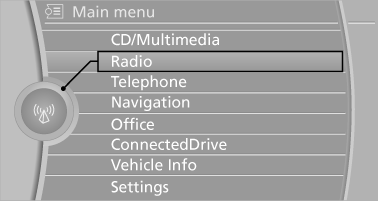
2. Press the controller.
Menu items in the Owner's Manual
In the Owner's Manual, menu items that can be selected are set in quotation marks, e.g., "Settings".
See also:
Phone book
Displays
The phone book accesses the contacts and
shows all contacts for which a phone number
has been stored. The entries can be selected to
make a call.
1. "Telephone"
2. "Ph ...
The concept
This system projects important information into
the driver's field of vision, e.g., navigation instructions.
In this way, the driver can get information without
averting his or her eyes from the ...
BMW Maintenance System
The maintenance system directs you to required
maintenance measures and thereby supports
you in maintaining road safety and the operational
reliability of the vehicle. ...