
Controller
Select menu items and create settings.
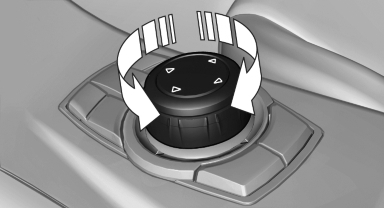
1. Turn.
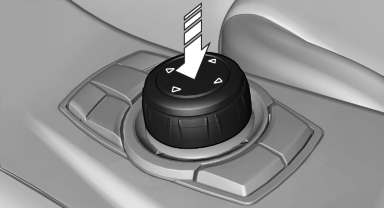
2. Press.
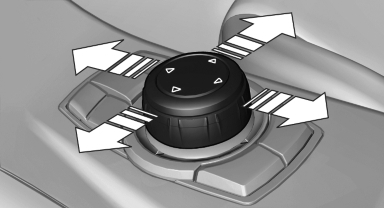
3. Move in four directions.
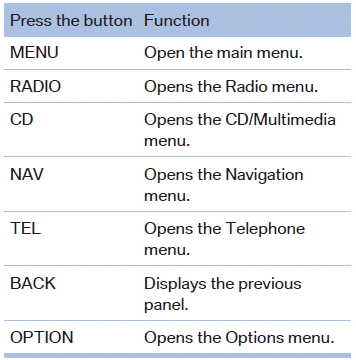
Buttons on controller
See also:
Following the initial pairing
▷ The mobile phone is detected/connected in
the vehicle within a short period of time
when the engine is running or the ignition is
switched on.
▷ The phone book entries of the tele ...
The concept
The iDrive combines the functions of a multitude
of switches. Thus, these functions can be operated
from a central location.
Using the iDrive during a trip
To avoid becoming distracted and po ...
Requirements
▷ The mobile phone is suitable.
▷ The mobile phone is ready for operation.
▷ Bluetooth is activated in the vehicle and on
the mobile phone.
▷ Bluetooth presettings may nee ...