
Automatic Service Request
The TeleService data necessary for servicing the vehicle are automatically sent to your service partner prior to the service deadline. If possible, the service partner will contact you and a service appointment can be arranged.
To check when your service partner was notified:
1. "Vehicle Info"
2. "Vehicle status"
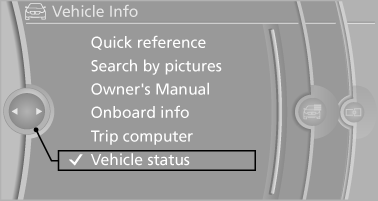
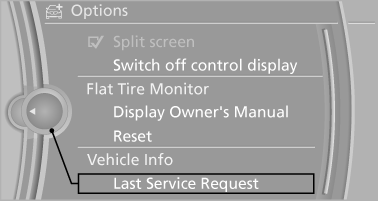
3. Open "Options".
4. "Last Service Request"
See also:
AM/FM station
Selecting a station
1. "Radio"
2. "FM" or "AM"
3. Select the desired station
All saved stations are stored for the remote control
currently in use.
Changing the s ...
Automatic mode
The automatic engine start/stop function is operational
after each engine start.
The function is activated above a certain speed.
▷ Manual transmission: above 3 mph, approx.
5 km/h.
▷ ...
Repeating a spoken instruction
1. "Navigation"
2. "Map"
3. Highlight the
symbol.
4. Press the controller twice. ...