
Incoming call
Receiving calls
If the number of the caller is stored in the phone book and is transmitted by the network, the name of the contact is displayed. Otherwise, only the phone number is displayed.
If more than one phone number is assigned to a contact, only the name of the contact is displayed.
For calls on the additional telephone, the number is only displayed if it is transmitted by the network.
An incoming call to the additional telephone is automatically rejected if there is an active call on the other telephone.
Accepting a call
Via iDrive
 "Accept"
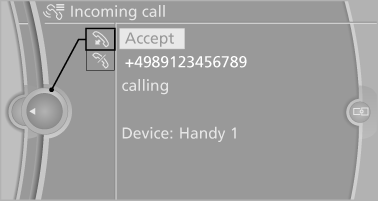
Via the button on the steering wheel
 Press the button.
Via the instrument cluster
"Accept"
Rejecting a call
Via iDrive
 "Reject"
Via the instrument cluster
"Reject"
Ending a call
Via iDrive
 "End call"
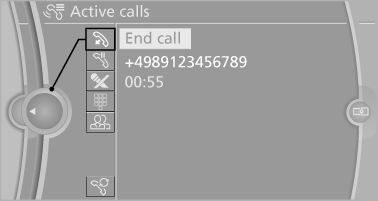
Via the button on the steering wheel
 Press the button.
Via the instrument cluster
"End call"
See also:
Top View
The concept
Top View assists you in parking and maneuvering.
The area around the doors and the road area
around the vehicle are shown on the Control
Display for this purpose.
Capturing the imag ...
Exterior
BMW says the front-end modifications for 2006 have been "executed with the
utmost reserve and subtlety." In addition to the restyled hood, the 7 Series
sedans have reshaped rocker panels ...
Coupe: ski bag
The ski bag is designed for safe, clean transport of up to 4 pairs of standard
skis or up to 2 snowboards.
With the ski bag you can stow skis with a length of up to 6.6 ft/2.0 m. When
skis of 6.6 ...