
Glove compartment
Front passenger side
Opening
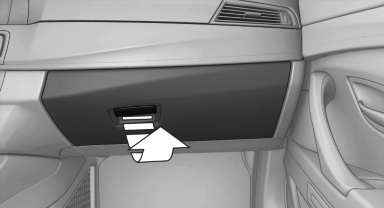
Pull the handle.
The light in the glove compartment switches on.
 Close the glove compartment again immediately
Close the glove compartment immediately after
use while driving; otherwise, injury may occur
during accidents.◀
Closing
Fold up the cover.
USB interface for data transfer
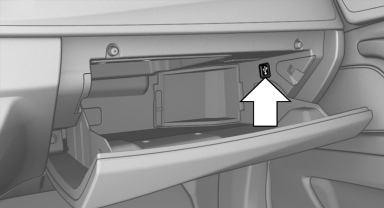
Connection for importing and exporting data on USB devices, e.g.:
▷ Personal Profile settings.
▷ Music collection
Observe the following when connecting:
▷ Do not use force when plugging the connector
into the USB interface.
▷ Do not connect devices such as fans or
lamps to the USB interface.
▷ Do not connect USB hard drives.
▷ Do not use the USB interface to recharge
external devices.
Driver's side
Opening
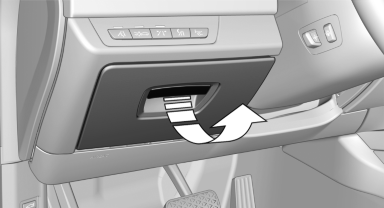
Pull the handle.
Close the glove compartment again immediately
Close the glove compartment immediately after
use while driving; otherwise, injury may occur
during accidents.◀
Closing
Fold up the cover.
See also:
Concierge service
General informationThe Concierge service of BMW Assist will inform you, for example, about upcoming
events, filling station, or hotels and supplies you with their phone numbers and
addresses. Many ...
Function
After the safety belt is buckled and the door is
closed, the front belts are automatically tightened
once after the vehicle is driven is away.
In critical driving situations, the following indivi ...
FTM Flat Tire Monitor
The concept
The system does not measure the actual inflation
pressure in the tires.
It detects a pressure loss in a tire by comparing
the rotational speeds of the individual wheels
while moving ...