
Visual warning
The approach of the vehicle to an object can be shown on the Control Display. Objects that are farther away are displayed on the Control Display before a signal tone sounds.
A display appears as soon as Park Distance Control (PDC) is activated.
If the backup camera image was selected last, it again appears on the display. To switch to PDC:
1.  "Rear view camera" Select the
symbol
on the Control Display.
"Rear view camera" Select the
symbol
on the Control Display.
2. Press the controller.
The setting is stored for the remote control currently in use.
Zoom view
On the left part of the display screen, the vehicle is shown enlarged.
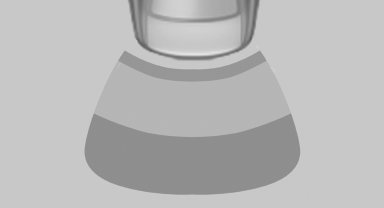
▷ Forward gear or transmission position D engaged:
front area of the vehicle.
▷ Reverse gear or transmission position R engaged:
rear area of the vehicle.
See also:
The concept
The vehicle can be accessed without activating
the remote control.
All you need to do is to have the remote control
with you, e.g., in your jacket pocket.
The vehicle automatically detects the r ...
Volume
▷ "Speed volume": speed-dependent volume
control.
▷ "PDC": volume of the PDC signal compared
to the entertainment sound output.
▷ "Gong": volume o ...
Ventilation in rear
Ventilation in rear
1 Use the thumbwheels to smoothly open and
close the air vents
2 Use the lever to change the direction of the
air flow ...