
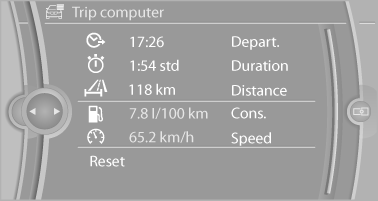
Trip computer
There are two types of computer.
▷ "Onboard info": the values can be reset as
often as necessary.
▷ "Trip computer": the values provide an overview
of the current trip.
Resetting the trip computer
1. "Vehicle Info"
2. "Trip computer"
3. "Reset": all values are reset.
"Automatically reset": all values are reset approx. 4 hours after the vehicle comes to a standstill.
See also:
Visual warning
The approach of the vehicle to an object can be
shown on the Control Display. Objects that are
farther away are displayed on the Control Display
before a signal tone sounds.
A display appears a ...
Interior motion sensor
The windows and glass sunroof must be closed
for the system to function properly. ...
Opening the hood
Working in the engine compartment
Never attempt to perform any service or
repair operations on your vehicle without the
necessary professional technical training.
If you are unfamiliar with th ...