
Front seat heating
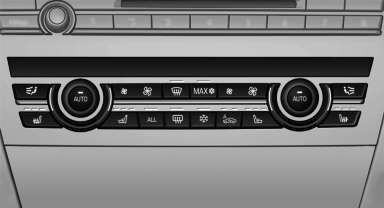
Switching on
 Press the button once for each
temperature
level.
Press the button once for each
temperature
level.
The maximum temperature is reached when three LEDs are lit.
If the drive is continued within approx. 15 minutes, the seat heating is activated automatically with the temperature selected last.
Switching off
Press the button longer.
The LEDs go out.
The temperature may be reduced or seat heating may be switched off entirely to save battery power.
Temperature distribution
The heating action in the seat cushion and backrest can be distributed in different ways.
1. "Climate"
2. "Seat heating distribution"
3. Select the required seat.
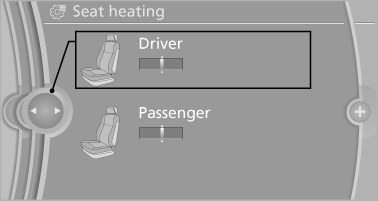
4. Turn the controller to set the temperature distribution.
See also:
Malfunction of the automatic
deactivation system
When transporting older children and adults, the
front passenger airbags may be deactivated in
certain sitting positions. In this case, the indicator
lamp for the front passenger airbags lights ...
Displays in the instrument cluster
Indicator lamp
Depending on how the vehicle is
equipped,
the indicator lamp in the instrument
cluster indicates whether the system is
switched on.
Desired speed
► The marking lights up ...
Requirements
Via the Control Display, set a language that is
also supported by the voice activation system
so that the spoken commands can be identified.
Set the language ...