
Changing settings
1. Select a field.
2. Turn the controller until the desired setting is displayed.
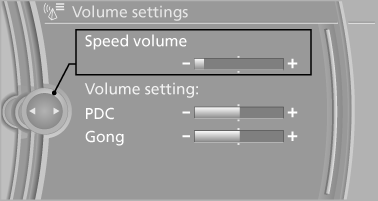
Changing settings
3. Press the controller.
See also:
Requirements
▷ The installed BMW Assist system is logged
in to a wireless communications network.
This network must be capable of transmitting
the services.
▷ To transmit position data, the vehic ...
Switching the reception on/off
1. "Navigation"
2. "Options" Open.
3. "Receive Traffic Info" ...
Display in the instrument cluster
The selected speed is displayed
in the speedometer.
Green: the system is actively
braking the vehicle.
Orange: the system is on
standby.
...