
New contact
1. "Contacts".
2. "New contact"
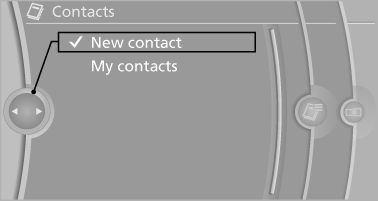
3. The entry fields are still filled with the previous entries: "Delete input fields".
4. Fill in the entry fields: select the symbol next to the entry field.
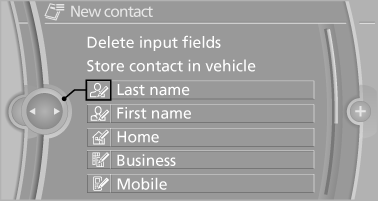
5. Enter the text.
6. In the navigation system: enter address.
Only addresses contained in the navigation data in the vehicle can be entered. This ensures that destination guidance is possible for all addresses.
7. If necessary, "Store".
8. "Store contact in vehicle"
Specifying the home address
A home address can be stored. It appears at the top of the contact list.
1. "Home".
2. Create a contact.
3. "Store contact in vehicle"
See also:
Vehicle equipment
All standard, country-specific and optional
equipment that is offered in the model series is
described in this chapter. Therefore, equipment
is also described that is not available in a vehicle, ...
Pressure specifications
The tire inflation pressure table, contains all pressure specifications
for the specified tire sizes at the ambient temperature.
Pressure specifications apply to approved
tire sizes and recommend ...
headlamp flasher
1. High beams
2. Headlamp flasher
3. Turn signal
Using turn signalsPress the lever beyond the resistance point. To turn off manually, press the
lever to the resistance point.
Unus ...