
Storing a station
1. "Radio".
2. "FM" or "AM".
3. Highlight the desired station.
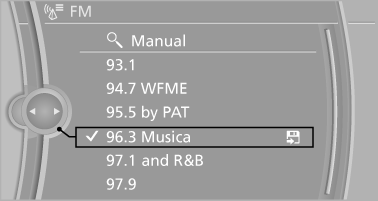
4. Press the controller for an extended period.
5. Select the desired memory location.
The stations are stored for the remote control currently in use.
With navigation system: the stations can also be stored on the programmable memory buttons.
See also:
Climate control laminated tinted safety
glass
The vehicle glass provides full protection
against the harmful effects of UV radiation on the
skin. ...
Programming
General information
1. Switch on the ignition.
2. Initial setup:
Press and hold the left and right button on
the interior rearview mirror simultaneously
for approximately 20 seconds until the L ...
Display on the Control Display
Display the computer or trip computer on the
Control Display.
1. "Vehicle Info"
2. "Onboard info" or "Trip computer"
Resetting the fuel consumption and
speed
1. & ...