
Visual warning
The approach of the vehicle to an object can be shown on the Control Display. Objects that are farther away are displayed on the Control Display before a signal tone sounds.
A display appears as soon as Park Distance Control (PDC) is activated.
If the backup camera image was selected last, it again appears on the display. To switch to PDC:
1.  "Rear view camera" Select the
symbol
on the Control Display.
"Rear view camera" Select the
symbol
on the Control Display.
2. Press the controller.
The setting is stored for the remote control currently in use.
Zoom view
On the left part of the display screen, the vehicle is shown enlarged.
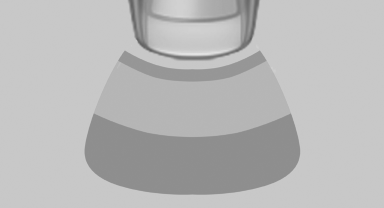
▷ Forward gear or transmission position D engaged:
front area of the vehicle.
▷ Reverse gear or transmission position R engaged:
rear area of the vehicle.
See also:
Changing wheels and tires
Mounting
Information on mounting tires
Have mounting and balancing performed
only by a service center or tire specialist.
If this work is not carried out properly, there is
the danger of subsequ ...
Parked car ventilation
The conceptThe parked car ventilation provides ventilation to the passenger compartment
and lowers its temperature, if necessary.
The parked car ventilation system is operated via iDrive. Two diffe ...
Possible commands
Most menu items on the Control Display can be spoken as commands.
The available commands depend on which menu is currently selected on the Control
Display.
There are short commands for functions o ...